AI UGC & Lipsyncing

The Complete AI UGC Ads Guide

Generate hyper-realistic influencer ads, lipsync your own voice, and A/B test creatives at scale. All with Seedance 2 on Enhancor.

How AI UGC Ads Work

Seedance 2 unlocks three distinct creation modes. Each one serves a different workflow for generating AI-powered ad creatives.

1
UGC Mode
Generate hyper-realistic influencers holding and reviewing your product. Upload a product image, write a prompt, and get a full video ad.
2
Lipsyncing Mode
Record your own voice and have AI actors perfectly lipsync your audio. Your words, their face. Perfect for scaling personal brand content.
3
Multi Input Mode
Use multiple reference images to control both the product and the mood of the video. Product shots + mood boards = cinematic lifestyle ads.

The Enhancor Interface

Head to app.enhancor.ai/video-generator, select Seedance 2.0, pick your mode, and start generating.

Text to Video
Image to Video
Lipsyncing
Video Edit
Influencers
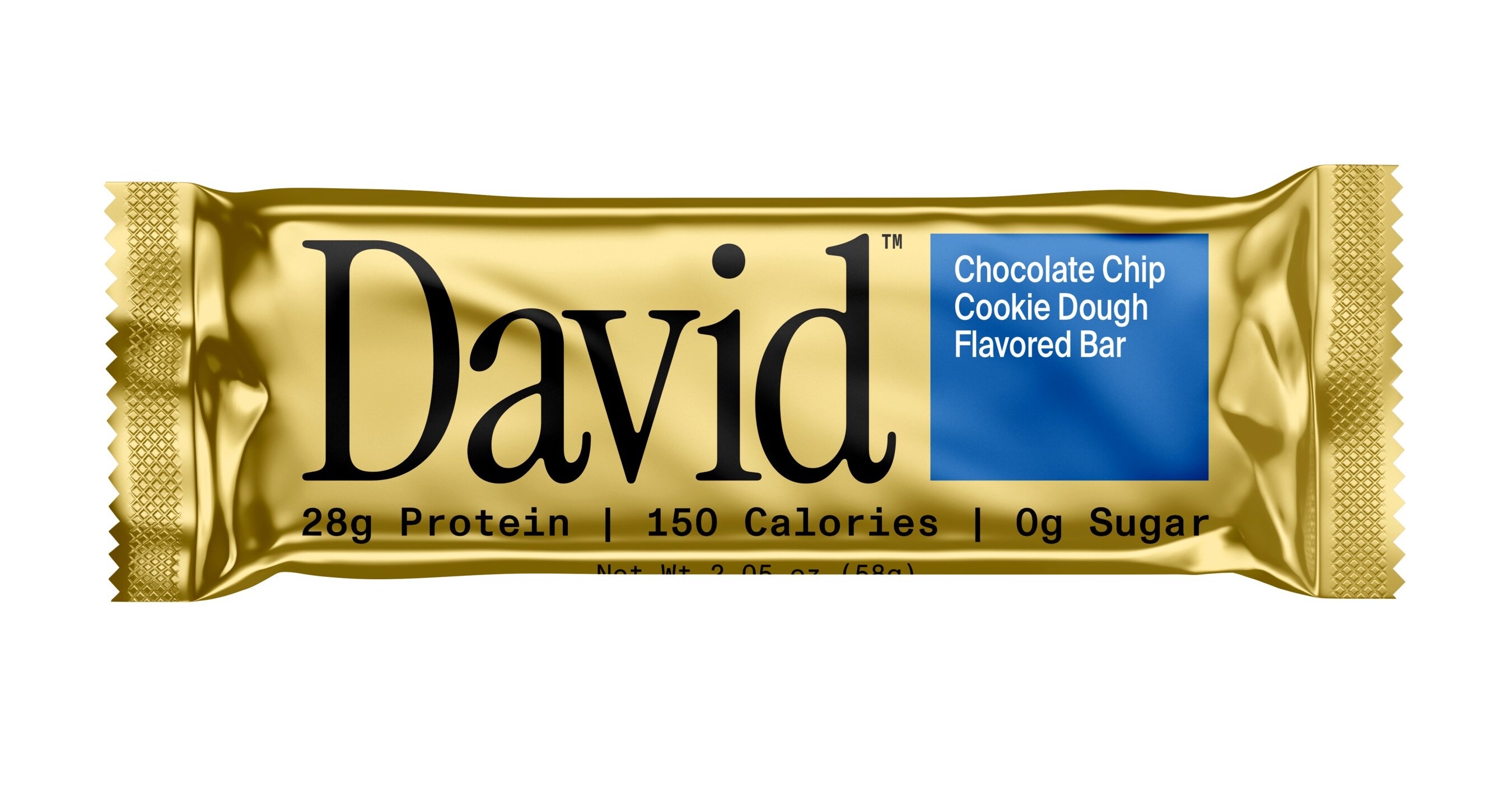
Using @image1 have an influencer on a podcast talk about the nutritional values of the protein bar. She slits it in half and tries it
Type @ to reference relevant media.
1 Products
MODEL NEW
Seedance 2.0
MODE
UGC
DURATION
5s
ASPECT
9:16
PRO MODE
AI Agent
273
CR/s
GENERATE
1 Upload product image
2 Select UGC or Lipsyncing mode
3 Set 9:16 & 15s duration
4 Write prompt & hit Generate
Multi Reference
First and Last Frames
Multi Frame
UGC
Lipsyncing
UGC
5s ● ● ●
Modes
MODEL NEW
Seedance 2.0
MODE
UGC
DURATION
15s
ASPECT
9:16
Seedance 2
Interface

Upload Your Own Influencer

You are not limited to AI-generated faces. Upload a reference image of your own influencer or creator to guide the generation.

The Two Upload Slots

In the Enhancor interface, you will see two upload areas side by side: Products and Influencers. Most people only use the Products slot. The Influencers slot is where the magic happens.

Products
Influencers
Upload a face reference here
Drop in a photo of the creator you want to appear in the video. The model will use their face, skin tone, and general look as a reference for the generated influencer.
1
Upload Product
Drop your product image into the Products slot as usual.
2
Upload Influencer
Drop a photo of your creator into the Influencers slot. Clear, front-facing photos work best.
3
Write & Generate
Write your prompt as normal. The model blends your influencer reference with the product and scene.
Best reference photos
Clear, front-facing, well-lit photos with a neutral expression. Headshots or upper body shots work best. Avoid sunglasses, heavy filters, or group photos.
Keep in mind
The result is a resemblance, not a clone. The model uses the reference as a guide for the general look. Skin tone, hair style, and facial features will be approximated, not perfectly replicated.

2 Prompting Styles, 4 Formats

The way you prompt Seedance 2 UGC is very different from other models. There are two fundamental styles, each with their own format.

Structural Prompting

Be descriptive and explicit about exactly what you want. Define the subject, action, props, wardrobe, tone, and key visual details. You control the generation.

Freestyle Prompting

Describe the result you want, not the steps to get there. Focus on the outcome and let the model interpret. Less control, more creative freedom.

Format 1
Structural — Descriptive

A single paragraph that describes everything: who is in the frame, what they are wearing, what they are holding, how they move, and what they say. Written like a scene direction.

Color-Coded Example
Using @image1 as the product reference, create a realistic creator style review video featuring a woman wearing the LED mask while it is turned on. She is dressed in a soft robe and holding the remote controller in one hand. She walks slowly toward the camera while naturally moving her hands as she speaks, keeping the remote visible. Her expression feels genuine and pleased, like she is sharing a product she personally loves. She says, "This LED mask has been a game changer for me."
Image Reference
Subject & Scene
Movement & Action
Tone & Expression
Dialogue / Lipsync
The 5 components that make a descriptive prompt structural
1
Tag the image reference
Use @image1 so the model knows exactly which visual asset to use.
2
Describe the scene clearly
Who is in the frame, what they are wearing, what they are holding, and what the product is doing.
3
Define the movement
How the subject behaves on camera: walking toward camera, moving hands naturally, keeping product visible.
4
Set the tone and expression
How they feel and look: genuine, excited, personal, like sharing a product they love.
5
Specify the dialogue
The exact words the subject should say, so the model matches mouth movement accordingly.
Format 2
Structural — Breakdown

Every important part of the generation is separated into its own clear instruction. Instead of hiding everything inside one paragraph, you break the prompt into controllable components.

Reference: @image1 Subject: woman wearing the LED mask Product state: LED mask is on and glowing Wardrobe: soft robe Prop: remote controller in hand Action: walking toward the camera Hand movement: natural hand gestures while holding the controller Dialogue: "This LED mask has been a game changer for me." Tone: authentic skincare review Style: realistic creator testimonial Focus: keep the LED mask and remote clearly visible throughout
Best for
Complex products with specific handling requirements. When you need precise control over wardrobe, props, product state, and camera behavior.
When to use
Product labels need to be readable. When the product has text, logos, or specific visual features that must stay consistent throughout the video.
Format 3
Structural — Timestamp

Timestamps control not just what happens, but when it happens. You guide the model beat by beat, controlling pacing and the exact order of actions. This gives the best results for complex multi-action scenes.

Reference: @image1 the LED product Subject: female creator Setting: cozy nighttime bedroom or apartment room Wardrobe: light fitted tank top, casual lounge shorts, minimal jewelry Product: light therapy face mask with visible cable Tone: casual, personal, skincare obsessed [00:00-00:01] She casually sips from a glass, opening the video like part of her real nighttime routine. [00:01-00:05] She grabs the light therapy mask, holds it up clearly toward the camera, and says, "My favorite thing, I am obsessed with this light therapy mask..." Her delivery feels natural, excited, and genuine. [00:05-00:12] She turns the mask on so the red light becomes clearly visible, then puts it on her face and adjusts it naturally with her hands. [00:12-00:13] She is now wearing the mask and casually scrolling on her phone, showing how it fits into her routine.
Why timestamps matter

In video prompting, it is not just about what happens, but when it happens. Timestamps help control the pacing, the order of actions, and how the scene unfolds. Instead of one general idea, you guide it beat by beat.

Format 4
Freestyle

Freestyle prompting is less about precisely structuring the input and more about describing the result you want. It focuses on the outcome rather than controlling every individual component.

"An influencer trying an LED mask and talking about the different settings, how she uses it every night, and how easy it is to control."

The goal is not to direct every variable. The goal is to communicate the result. This works best for quick ideation, A/B testing concepts, and products that do not require precise handling instructions.

Best for
Quick concepts and ideation. When you want to explore creative directions fast without writing detailed structural prompts. Great for A/B testing.
Watch out
The looser the prompt, the more room the model has to improvise. This is where strange product interactions, physics breaks, and random text appear. Use structural prompts when accuracy matters.
The Prompt Formula
[Image Reference @tag][Subject + Wardrobe + Product][Action + Movement + Camera][Tone + Style + Feeling][Dialogue / Spoken Line]

UGC Product Reviews

The bread and butter. Upload a product image, describe the scene, and get a realistic influencer reviewing your product.

01
LED Mask Review
Freestyle prompt — minimal context, maximum creativity.
freestyle skincare product review
An influencer trying an LED mask and talking about the different settings, how she uses it every night, and how easy it is to control.
Click to copy · Paste into Enhancor
What happened
The model understood the product context on its own. It turned on the LED light without being told to. The remote even displayed "Level 2." Product consistency was strong despite a minimal prompt.
Recommended Settings
Mode: UGC · Duration: 15s · Aspect: 9:16
02
LED Mask (Structural)
Breakdown format with timestamp prompting for full control.
structural timestamps breakdown format
Reference: @image1 the LED product Subject: female creator Setting: cozy nighttime bedroom or apartment room Wardrobe: light fitted tank top, casual lounge shorts, minimal jewelry, natural everyday look Product: light therapy face mask with visible cable Tone: casual, personal, skincare obsessed [00:00-00:01] She casually sips from a glass, opening the video like part of her real nighttime routine. [00:01-00:05] She grabs the light therapy mask, holds it up clearly toward the camera, and says, "My favorite thing, I am obsessed with this light therapy mask..." Her delivery feels natural, excited, and genuine. [00:05-00:12] She turns the mask on so the red light becomes clearly visible, then puts it on her face and adjusts it naturally with her hands, showing herself trying it in a believable way. [00:12-00:13] She is now wearing the mask and casually scrolling on her phone, showing how it fits into her routine.
Click to copy · Paste into Enhancor
What happened
The logo stayed consistent and readable throughout. The timestamps were followed exactly as instructed. This level of control is what structural prompting unlocks.
Recommended Settings
Mode: UGC · Duration: 15s · Aspect: 9:16
03
Shampoo UGC
Minimal prompt with a tricky product image (upside down, lots of text).
freestyle haircare minimal prompt
A woman influencer reviewing the detox shampoo in @image1 for women who want to deal with hair buildup
Click to copy · Paste into Enhancor
What happened
The source image was upside down and the model still understood it correctly. It kept the same gel consistency from the image and the product text was mostly readable. Impressive handling of a difficult reference.
Recommended Settings
Mode: UGC · Duration: 15s · Aspect: 9:16

ASMR Product Reviews

Satisfying, tactile content that works perfectly for short-form social media. Great for beauty, tech, and accessories.

04
Phone Case ASMR
Close-up tactile review of a phone case with lip gloss holder.
asmr accessories close-up
asmr product review of a phone case that holds a lip gloss in the back
Click to copy · Paste into Enhancor
Keep in mind
Freestyle prompts give the model room to improvise. This is usually where strange product interactions appear. Be specific about product handling if consistency matters.
Recommended Settings
Mode: UGC · Duration: 15s · Aspect: 9:16

Greenscreen Ads

Recreate the viral TikTok greenscreen format with AI. Talking head cutout over a bold background with floating product images.

05
Greenscreen Product Ad
Talking head cutout with floating product layout, inspired by popular TikTok formats.
greenscreen tiktok format talking head
iPhone style UGC talking head cutout of a female influencer speaking directly to camera against a bold yellow background, with four Mid Day Squares protein bar packages floating above her in a collage layout. She gestures with one finger as if recommending the product. Bright, punchy ad aesthetic, casual creator content feel, promotional snack brand visual. She is talking about Mid Day Squares as the best mid day snack with 20 grams of protein.
Click to copy · Paste into Enhancor
What happened
The generated person looks completely real. Consider using 8-second duration instead of 15 seconds for this format to keep the pacing tight and the content punchy.
Recommended Settings
Mode: UGC · Duration: 8–15s · Aspect: 9:16

Unboxing Videos

ASMR-style unboxing with satisfying tactile details. The model imagines the packaging from just a product image.

06
Headphone Unboxing
Structural descriptive prompt with detailed ASMR unboxing directions.
unboxing asmr structural
ASMR unboxing video of gaming headphones from image1, shot from a close handheld overhead angle with both hands in frame, just like a real creator unboxing on a table or against a clean wall. Show the box being held in one hand while the other hand uses a utility knife to slowly slice through the plastic seal across the top of the packaging. Focus on the satisfying tactile details: the blade dragging across the wrap, the crinkle of plastic, fingers gripping the box, the glossy packaging catching light, the lid opening, and the headphones being revealed piece by piece. Keep the composition tight and product focused, with authentic phone camera quality, natural lighting, crisp ASMR sounds, slow deliberate movements, and a realistic social media unboxing feel.
Click to copy · Paste into Enhancor
What happened
The model imagined the packaging of the product with no reference. The structural descriptive format works because it defines content type, then camera angle, then action, then tactile details — in that order.
Recommended Settings
Mode: UGC · Duration: 15s · Aspect: 9:16

App & Software UGC

One of the hardest use cases for video models. Seedance 2 UGC handles software UI screenshots and app reviews remarkably well.

07
App Review UGC
Upload a screenshot of the app UI and have an influencer present it.
app review software UGC screen showcase
Using @image 1 as reference, create an iPhone style vertical UGC app review composition featuring a realistic male influencer in the foreground holding a smartphone upright in one hand and clearly showcasing the screen to the viewer, with the phone angled slightly toward camera so the mobile interface is readable and feels central to the shot. The creator is speaking directly to camera with excited casual recommendation energy, slightly leaning forward and presenting the phone like proof, as if he is sharing a money saving browser tool or mobile shopping assistant he just discovered. The phone screen should display a clean coupon finding and discount savings interface inspired by a mobile ecommerce savings experience, with a bold headline, call to action button, simple onboarding flow, and savings related visuals, preserving the overall layout hierarchy and feel from @Image1 while keeping everything fully generic and IP safe. The creator is saying exactly: "I found the best website that lets you get 100% off on any of your amazon orders this is insane". Social media native aesthetic, realistic iPhone creator content, authentic paid social feel, casual but persuasive energy, bright and readable composition, natural skin texture, believable hand placement, clear phone visibility, slight front camera imperfection, not overly polished, optimized for TikTok or Instagram style ad creative.
Click to copy · Paste into Enhancor
What happened
The text in the UI stayed mostly consistent throughout the frame. There may be minor spelling errors but nothing post-production cannot fix. This is a breakthrough for software advertising with AI.
Recommended Settings
Mode: UGC · Duration: 15s · Aspect: 9:16
Try UGC Mode Now
Generate Your First AI Ad
Upload a product image, pick UGC mode, write your prompt, and generate a hyper-realistic influencer ad in under a minute.
Open Video Generator
Bookmark · AI UGC Guide

Lifestyle & Multi-Input Ads

Use multiple reference images to control both the product and the mood. Product shots + mood boards = cinematic lifestyle campaigns.

08
Lifestyle Clothing Ad
3 reference images: product + 2 mood references to guide the visual style.
multi input lifestyle mood reference
Create a lifestyle commercial for the shirt in @Image1 using the mood and vibe of @Image2 and @Image3. It should feel cinematic, retro, and lifestyle focused.
Click to copy · Paste into Enhancor
How multi-input works
@Image1 is the product. @Image2 and @Image3 set the mood. Reference images do not only show the product — they can guide style, lighting, setting, and overall feel. Use images that feel retro, cinematic, cozy, summery, luxury, or casual to direct the result.
Recommended Settings
Mode: Multi Input · Duration: 15s · Aspect: 9:16
09
Fashion Campaign
Front + back product views with a single mood reference for a classic campaign feel.
multi input fashion front + back
Create a lifestyle commercial for the shirt shown in @Image1 and @Image2, with @Image1 as the front view and @Image2 as the back view, using the mood and vibe of @Image3. It should feel cinematic and lifestyle focused.
Click to copy · Paste into Enhancor
Pro tip
Use @Image1 and @Image2 as front and back views so the model fully understands the product. Then use @Image3 only to drive the mood and style of the video. This separation gives you both product accuracy and creative direction.
Recommended Settings
Mode: Multi Input · Duration: 15s · Aspect: 9:16

Lipsyncing Your Voice

Record your own audio, upload it, and have AI actors perfectly lipsync your words. Your voice, their face.

10
Voice Lipsyncing
Upload your audio, a product image, and toggle on lipsyncing.
Input
Product Image
Protein Bar
Voice Audio
0:00 / 0:07 MP3
Output
AI-generated video with lipsynced voice
lipsyncing voice clone your audio
a UGC iphone selfie of this protein bar being showcased by a gym bro
Click to copy · Paste into Enhancor · Toggle Lipsyncing ON · Upload your audio
Important
Always describe the gender of the influencer so it matches your voice. If you don't specify, the model may assign a different gender and the voice won't match. Sometimes it may add words you didn't say — still improving but already a game changer.
How to set up
1
Select Lipsyncing Mode
Multi Reference
First and Last Frames
Multi Frame
UGC
Lipsyncing
2
Upload your product image
3
Write description — match the influencer gender to your voice
4
Upload your audio file — MP3 or WAV
5
Hit Generate

Additional Formats

These formats push what's possible with AI UGC. From podcast ads to 360 product shots.

11
Podcast Ad
AI-generated podcast-style ad placement for supplement brands.
podcast supplement ad placement
Recommended Settings
Mode: UGC · Duration: 15s · Aspect: 16:9 or 9:16
12
Supplement UGC
Classic influencer-style supplement review ad.
UGC supplement health
Recommended Settings
Mode: UGC · Duration: 15s · Aspect: 9:16
13
Jacket UGC Ad
Creator-style UGC ad for an athletic jacket.
UGC fashion athletic
Recommended Settings
Mode: UGC · Duration: 15s · Aspect: 9:16
14
360 Product Showcase
Multi-reference 360 degree product rotation with cinematic lighting.
360 rotation multi reference product shot
Recommended Settings
Mode: Multi Input · Duration: 10–15s · Aspect: 9:16 or 1:1
15
Professional Product Shot
Studio-style product reveal with cinematic lighting and slow motion.
product shot studio cinematic
Recommended Settings
Mode: UGC · Duration: 10s · Aspect: 9:16 or 16:9

Words That Work

These keywords consistently produce better UGC results. Mix and match across categories in your prompts.

Content Type
UGC iPhone style talking head ASMR unboxing product review greenscreen lifestyle commercial selfie creator testimonial
Subject Direction
speaking directly to camera walking toward camera holding product natural hand gestures adjusts naturally casually sips scrolling on phone leaning forward gestures with one finger
Tone & Feel
authentic genuine casual excited personal persuasive cinematic retro punchy ad aesthetic realistic
Visual Quality
natural lighting phone camera quality natural skin texture slight front camera imperfection not overly polished social media native bright and readable
Product Handling
holds up clearly showcasing the screen product clearly visible keep visible throughout angled toward camera gripping the box presenting like proof
Reference Tags
@image1 as product @image2 as mood @image3 as vibe front view back view inspired by preserving layout from

Where It Fails

AI UGC is powerful but not perfect. Know the limitations so you can work around them.

1
Product Text Can Morph
Labels and text on products are 80% consistent but can still shift or become unreadable in some frames. Post-production fixes may be needed for text-heavy products.
2
Physics Breaks Down
Products can deform or interact unrealistically, especially with freestyle prompts. An influencer might squeeze a phone flat or a mask's mouth area might move with the lips. Be specific about product handling.
3
Lipsync Adds Extra Words
The lipsyncing mode may occasionally insert words you never said, or assign the wrong gender voice if not specified. Always describe the influencer's gender to match your voice.
4
Freestyle = Less Control
Loose prompts give the model creative freedom, but that is exactly where strange artifacts appear. Use structural prompts when product accuracy is critical.
5
Currently 720p Only
Output is limited to 720p resolution for now. Higher resolution and human reference uploads are coming in future updates.

AI Agent Mode

Paste a product link, let the agent analyze it, and auto-generate ad scripts with A/B testing built in.

The AI Agent is the fastest way to go from product link to finished ad. Toggle it on, paste a product URL, and hit analyze. The agent will describe your product, suggest finetuned presets, and generate scripts.

The real power is A/B testing. Generate 2 or more video concepts for the same product — one UGC style, one professional product shot. Same product, different creative angles, generated simultaneously.

1
Paste Product Link
Drop in any product URL. The agent scrapes the product details, images, and description automatically.
2
Select Presets & A/B Test
Choose finetuned presets. Toggle A/B testing to generate multiple creative concepts in parallel.
3
Review & Generate
Review the AI-generated scripts. Approve them and hit generate. Your ad assets appear on the canvas in seconds.
Best for
Brands and agencies that need to scale ad production quickly. Generate multiple creative concepts for the same product without writing a single prompt.
Keep in mind
You cannot upload human references yet in AI Agent mode. This feature is rolling out soon. For now, the agent picks the influencer style automatically.
Start Generating AI UGC Ads

Upload a product image. Write a prompt. Get a hyper-realistic influencer ad in under a minute. Try UGC mode and lipsyncing today.

Open Video Generator
Join the Community
Get access to more guides, prompts, and workflows for AI video generation.
Try Enhancor Free
UGC + Lipsyncing + AI Agent